Your camera already knows what time it is. Now it knows who.
Tap a name on your phone or tablet. Photograph with the camera you already own. Cue sorts every photo under the right name, with no cards to print and nothing plugged into your camera.
Ava M.Tapped
Ava M.2 photos
Ben K.Tapped
Ben K.3 photos
Chloe R.Tapped
Chloe R.2 photos
- Mac, iPhone, iPad and Android
- ready now
- Windows
- next in line
- Works with GotPhoto
- your jobs and names, straight in
- $19 a month, flat
- every photographer, every device
How a picture day goes with Cue
Your phone is where the day is tapped, your computer is where it is sorted. Your camera stays exactly as it is.
Step 1Show your phone to the camera, once.
A photograph of the screen tells the computer how your camera's clock and your phone's differ. Two bodies, two photographs.

Step 2Tap the name as each person steps up. Snap.
Nothing is plugged into your camera or paired with it. Two photographers each tap their own phone, and Cue merges the day.

Step 3Open Cue on the computer. The day is already sorted.
Every photo lands under the name tapped before it. The uncertain ones come first, with the reason, so you check those and skip the rest. Then the day uploads to GotPhoto.

Things you can leave at the studio
Cue works from the clock your camera already has, so picture day travels lighter.
- Printed name cards
- A code photo before every person
- Bluetooth pairing and spare cables
- Clipboard with a roster
- Sorting photos by hand that night
Still bring your camera and your phone. Snacks are up to you.
A picture day, by the clock
Everything a real picture day throws at you, from the first bell to the last bus.
Your first subjects trickle in.
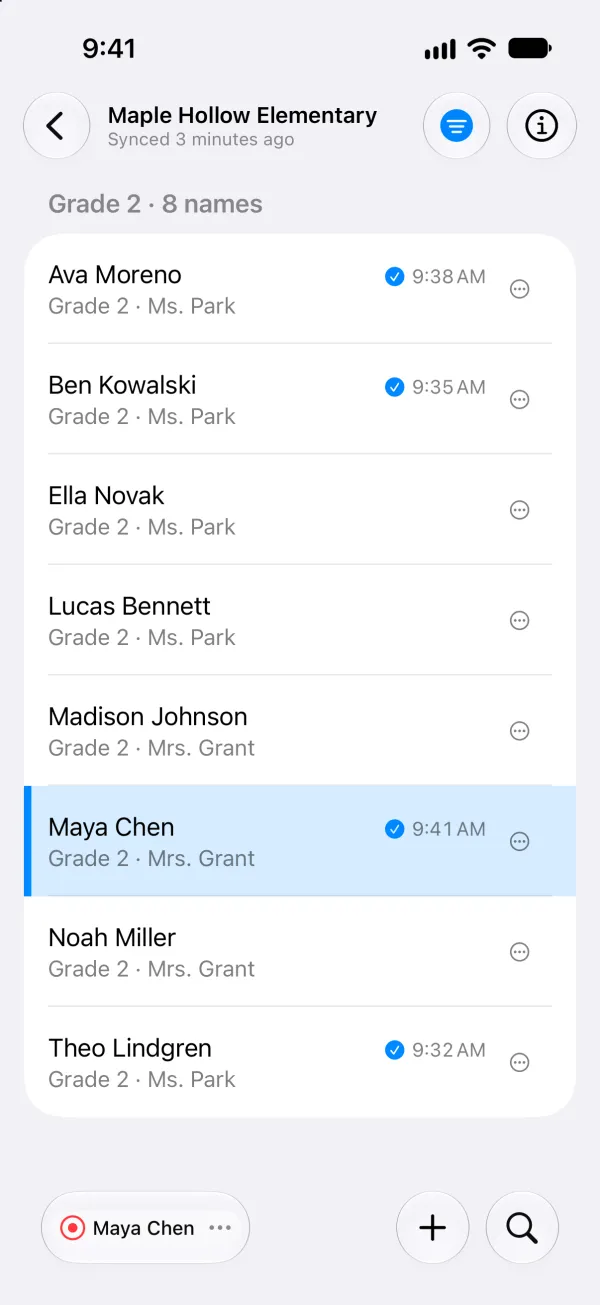
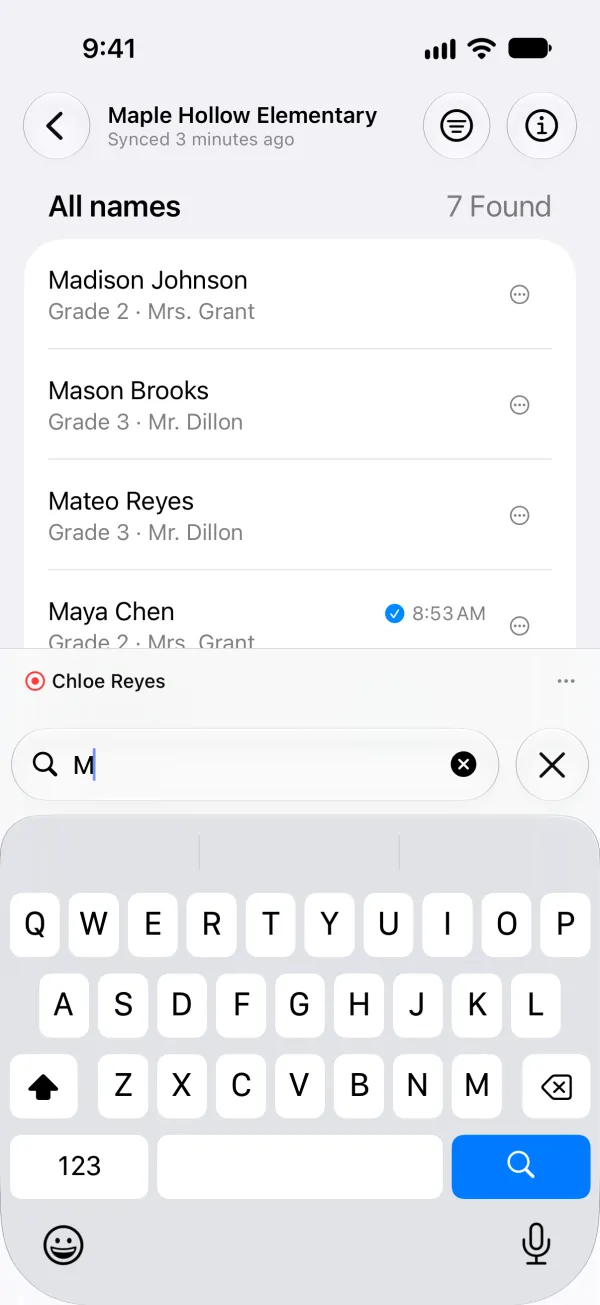
Type a few letters to find the next name, tap it, snap. The line keeps moving.
A new face in line.
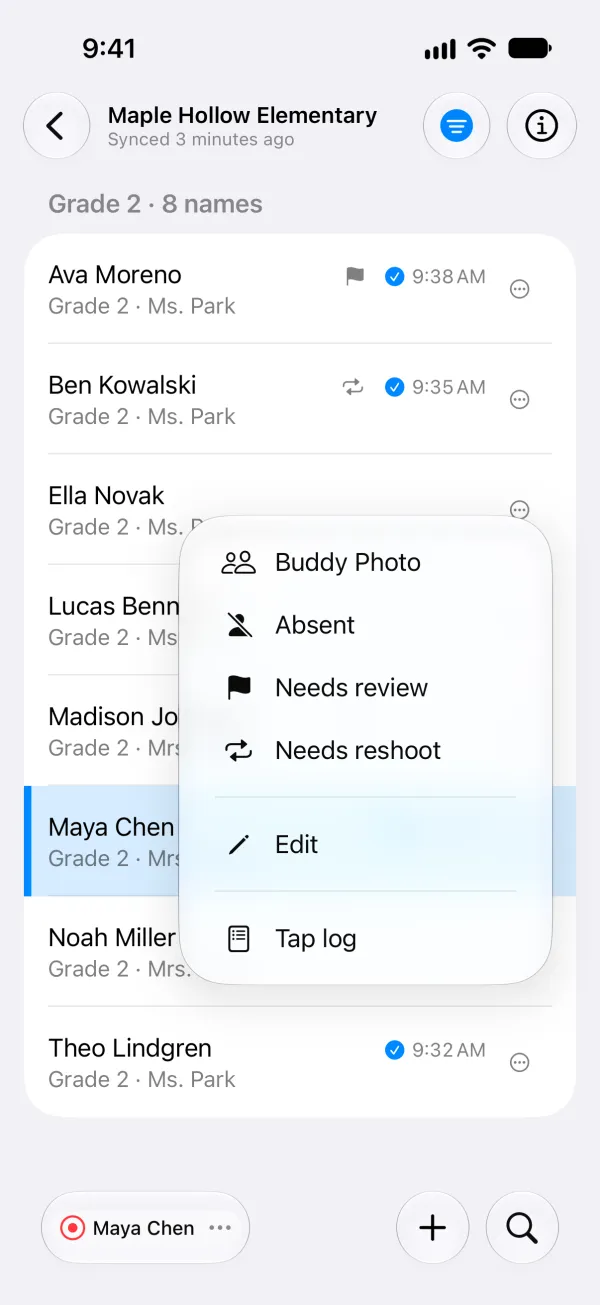
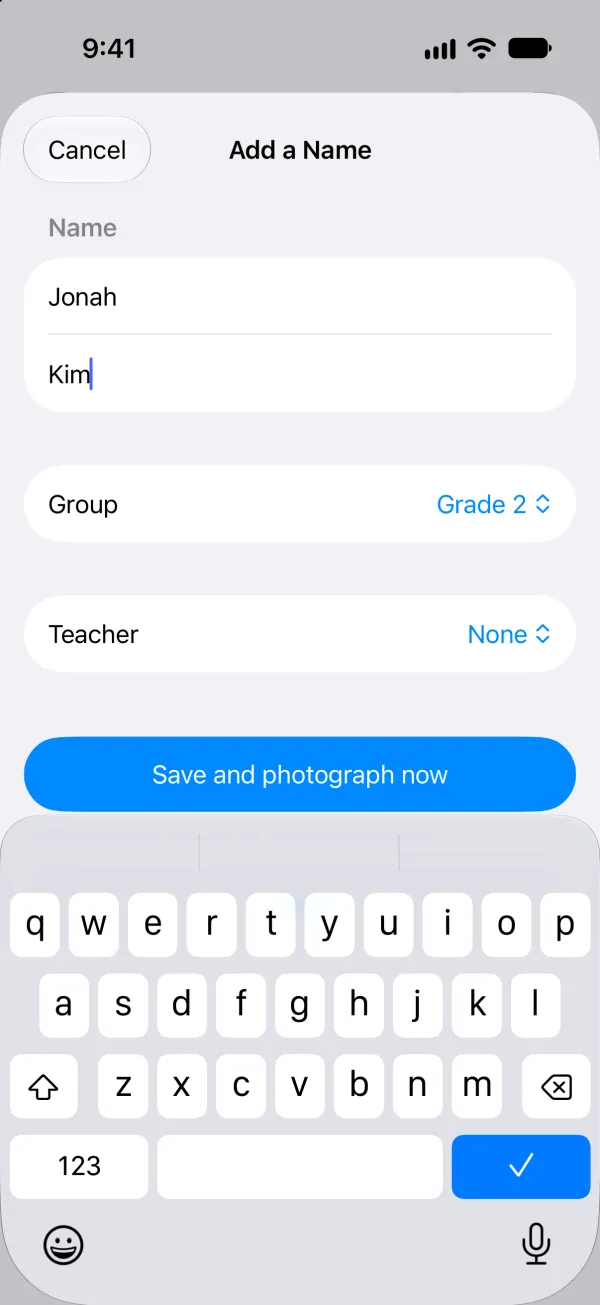
Add a walk-up, fix a spelling or move someone to the right class, right from your phone.
Siblings, together.
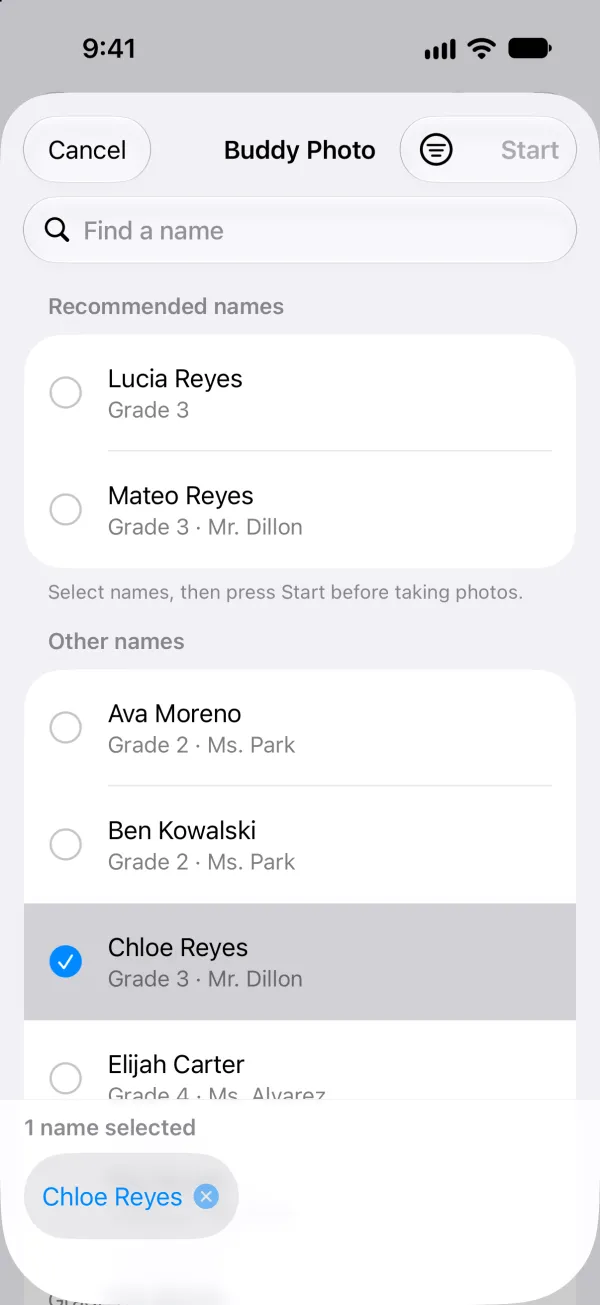
Pick every name in a buddy photo, and the photos land under each of them.
Ms. Park's whole class.
Classes, teams and staff: a group photo takes a single tap.
Out sick? Flag it.
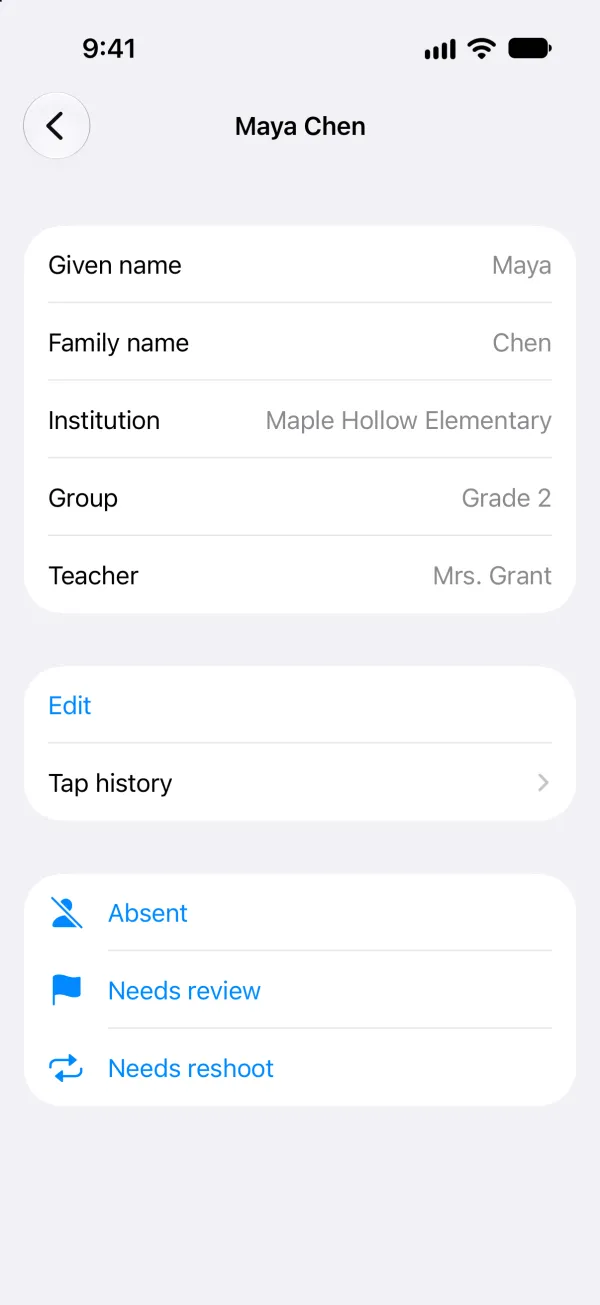
Flag a name absent, for a retake or for review, so nothing slips through after the day.
The internet is down.
Keep tapping all day offline. Cue syncs when you are back online.
Two lines, two photographers.
Each photographer taps on their own phone, and Cue merges the day.
A helper with a clipboard, minus the clipboard.
Assistant mode lets a helper look up names, add flags and fix details, so your eye stays on the viewfinder.
Have a closer look
The iPhone app, on a sample school. Scroll sideways for more.
What Cue never sees
Cue does not have access to your subjects' names or your photographs. Not by policy: by design.
Your photographs never leave your computer.
Cue reads them where they are and tags each one for the right person in its own metadata. No photograph is uploaded to Cue, and nothing is sent to an AI.
Your subjects' names never reach Cue's servers.
They come from GotPhoto straight to your devices. What passes through Cue's servers are timestamps and reference numbers, plus your own name and email when you sign up. Only your own GotPhoto account can turn a reference number back into a name.
No face recognition.
Cue matches by the clock, never by a face, and every match says why.

Who makes it
Thomas Roten, Merritt Island, FL
I am a software engineer, and started Cue for my wife's picture days: I built it so her photos would sort themselves by the time she got home. I'm the human behind every support email.
thomas@cue.photo14 days free, then $19 a month
One flat price per studio, billed monthly: every photographer, every device, no fee per photo or per subject. Stop when your season ends and start again when the next one does.
No card needed to start. The 14 days begin when your account is approved. Add a card before they end and the subscription carries on.
- The computer app and the mobile app, for your whole studio
- Your GotPhoto jobs and names, straight into the apps
- Group photos, buddy photos, walk-ups, flags and assistant mode
- Each photo tagged for the right person and uploaded to GotPhoto. JPEG and PNG files.
- A person to write to when something is not right
Asked before you ask
Which systems does it work with?
GotPhoto today: your jobs and names come straight from your account into the apps. Other systems are next; write to us and tell us yours.
Do I change anything on my camera?
No. There is no dongle to plug in, nothing to pair and no clock to set. One photo of your phone's screen tells Cue how far off your camera's clock is.
Which cameras work?
Any digital camera. Cue reads the time each photo was taken from the photo itself, and works with JPEG and PNG files.
What if Cue is unsure about a photo?
It flags the photo with the reason, and the flagged ones come first on your computer, so you check those and skip the rest.
Does it need a signal at the school?
No. Tap all day with no signal, and Cue syncs when you are back online.
Can more than one photographer use it?
Yes. Each photographer taps on their own phone, every device is in the price, and Cue merges the day.
What does it run on?
A Mac with Apple silicon, and an iPhone, iPad or Android phone or tablet (Android 13 or newer). The phone is where the day is tapped, the Mac is where it is sorted. Windows is next in line.
What happens after I request access?
Cue emails you a code to confirm your address. A person then reviews the request, and Cue emails you when your account is ready, with the day your 14 free days end.